验证先于布置作业 / Prove it before assigning it
教师先走通,学生才有可模仿的对象。 / The teacher runs it first so students have something to copy.
产品 · 示范作品 / PRODUCT · DEMONSTRATION
用普通打印机,把一张图铺满教室墙 / Cover a classroom wall with an ordinary printer

AI 墙是一个已经做过的示范:先用 AI 生成画面,再用程序把图切成 A3 / A4 页,打印后裁边、编号、拼接、上墙。画面是巨大的 AI 字母,中学生指向天空,有明显的纵深。目的很具体——教室不必只拿单张纸来装点。学生可以按同一套办法重做,也可以改主题、改尺寸,去做自己的墙。 / AI Wall is a finished demo: generate the image, slice it into A3/A4 sheets with a script, then trim, number, join and hang. The picture is a giant AI wordmark with students pointing up, with real depth. The point is practical—a classroom does not have to decorate with single sheets. Students can rerun the same method, or change the theme and size and make their own wall.
问题 / THE PROBLEM
教室想做大画面,手里往往只有普通打印机和 A3、A4 纸。没有大幅面设备,墙就空着,或者只贴几张小海报。学生也很难相信「我们这台电脑」能做出一整面墙。 / Classrooms want a large picture, but usually have only a normal printer and A3/A4 paper. Without a wide-format machine the wall stays empty, or gets a few small posters. Students rarely believe the lab computer can make a whole wall.
理念 / RATIONALE
理念来源 / Source · 本示范提出 · Tiling + install as a classroom method
与其讲「理论上可以拼」,不如先做出一面能站住的墙:出图、切页、裁装都走过。学生看见成品,才知道下一步可以换主题、换尺寸。 / Instead of saying tiling is possible, hang a wall that holds: generate, slice, trim, install. Once students see the result, they can change the theme and the size.
教师先走通,学生才有可模仿的对象。 / The teacher runs it first so students have something to copy.
普通电脑、普通打印机、手工裁装,学校里就有。 / A regular computer, a regular printer, and hand finishing—already in school.
换图、换墙、换网格,流程还在。 / New image, new wall, new grid—the flow stays.
操作 / HOW IT RUNS
定墙面尺寸 → 出图 → 程序分页 → 打印裁装 → 按编号上墙。 / Measure the wall → generate → slice → print and trim → hang by number.
确定主题和构图;本示范是巨大的 AI 字母与指向天空的学生。 / Lock theme and composition; this demo uses a giant AI wordmark and students pointing up.
按 A3 或 A4 算出行列、边距和重叠,导出可打印页。 / Compute rows, columns, margins and overlap for A3 or A4, then export pages.
裁白边、编号、预拼,再按基准线上墙。 / Trim, number, dry-fit, then hang to a guide line.
进度 / WHERE IT IS NOW
示范已经做完:画面、分页稿和打印方案都在。学生可以照着重做,也可以另选题。 / The demo is done: artwork, tiling plan and print jobs exist. Students can repeat it, or pick another subject.
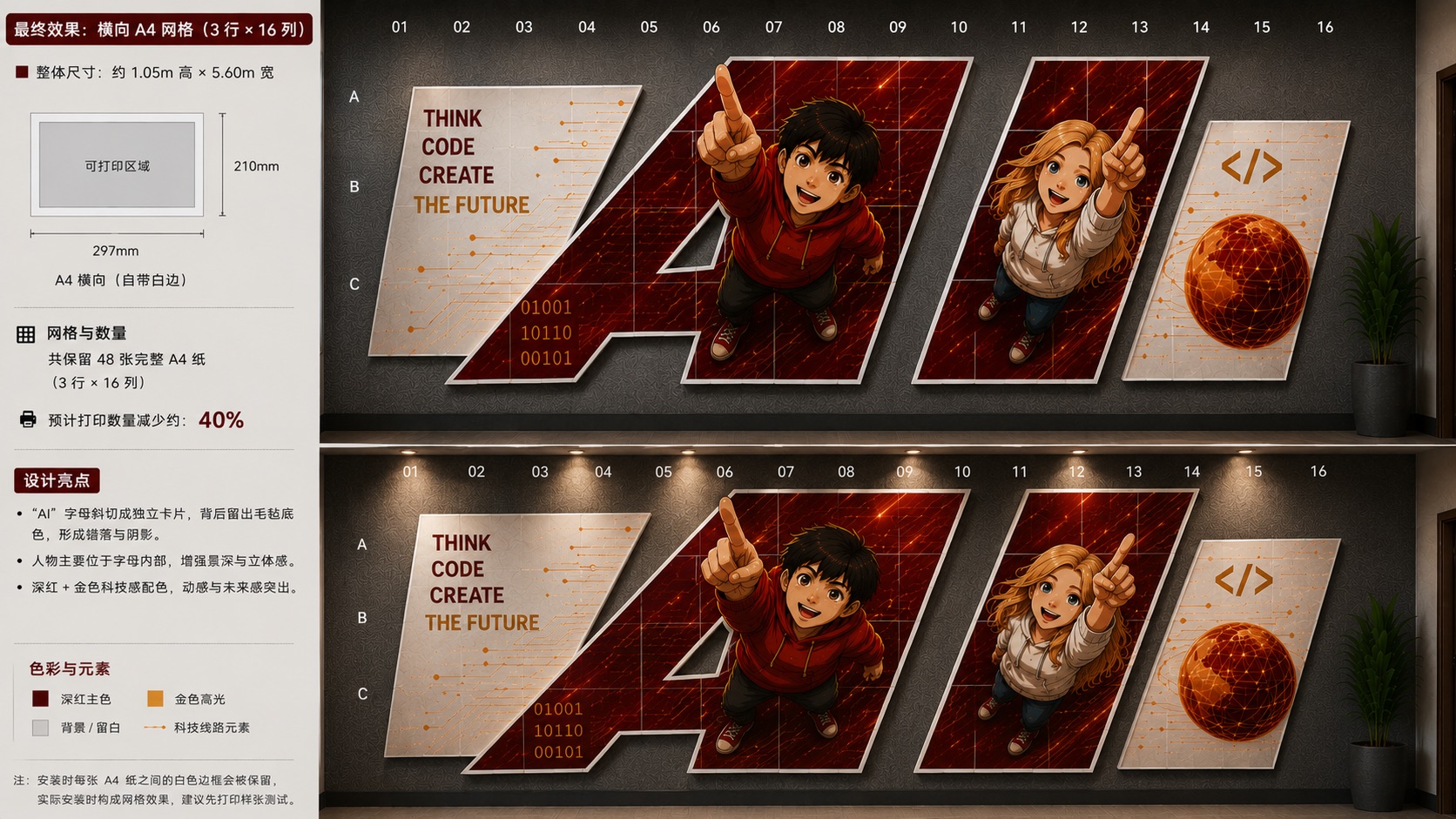
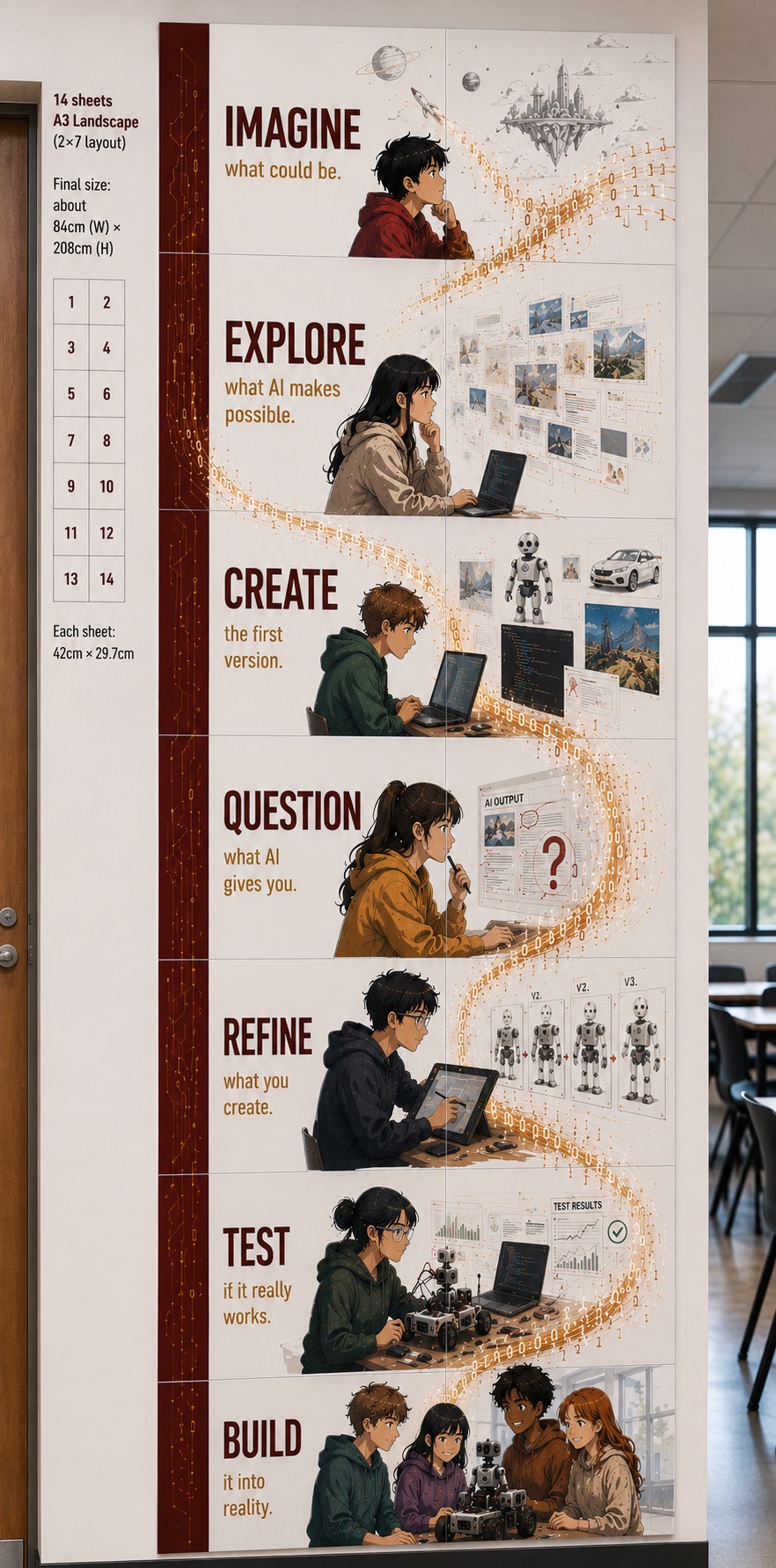
完成从出图、切页、打印到安装的整条验证,并把这套办法做成给学生看的示范。 / Ran the full path from image to slicing, print and install, and kept it as a demo students can follow.
墙面尺寸用分页拼出来,不靠大幅面打印机。 / Wall size comes from tiles, not a wide-format printer.
分页、边距、重叠先算清楚,再动手裁。 / Page grid, margins and overlap are calculated before anyone cuts.
先看成品,再换自己的图和墙。 / See a finished wall first, then swap in their own image and wall.